
AUTOMATION
Automatic lot bumping
The extension finds your seller categories, sends a bump request, and follows the cooldown returned by FunPay.
- No manual intervals
- No offers page left open
- According to platform availability
Analytics, sales calendar, lot group management, and automation — directly inside the familiar FunPay interface.
FunPay Plus brings everyday seller tasks together in one dashboard. Every feature works with your current FunPay session without requiring dozens of open tabs.
The extension finds your seller categories, sends a bump request, and follows the cooldown returned by FunPay.
Select the offers you need and organize them into groups by game, product type, priority, or your own logic.
Select several lots or an entire group, then activate or deactivate all selected offers at once.
Create reusable messages and insert them into the chat beside the attachment button. The text remains under your control and is never sent automatically.
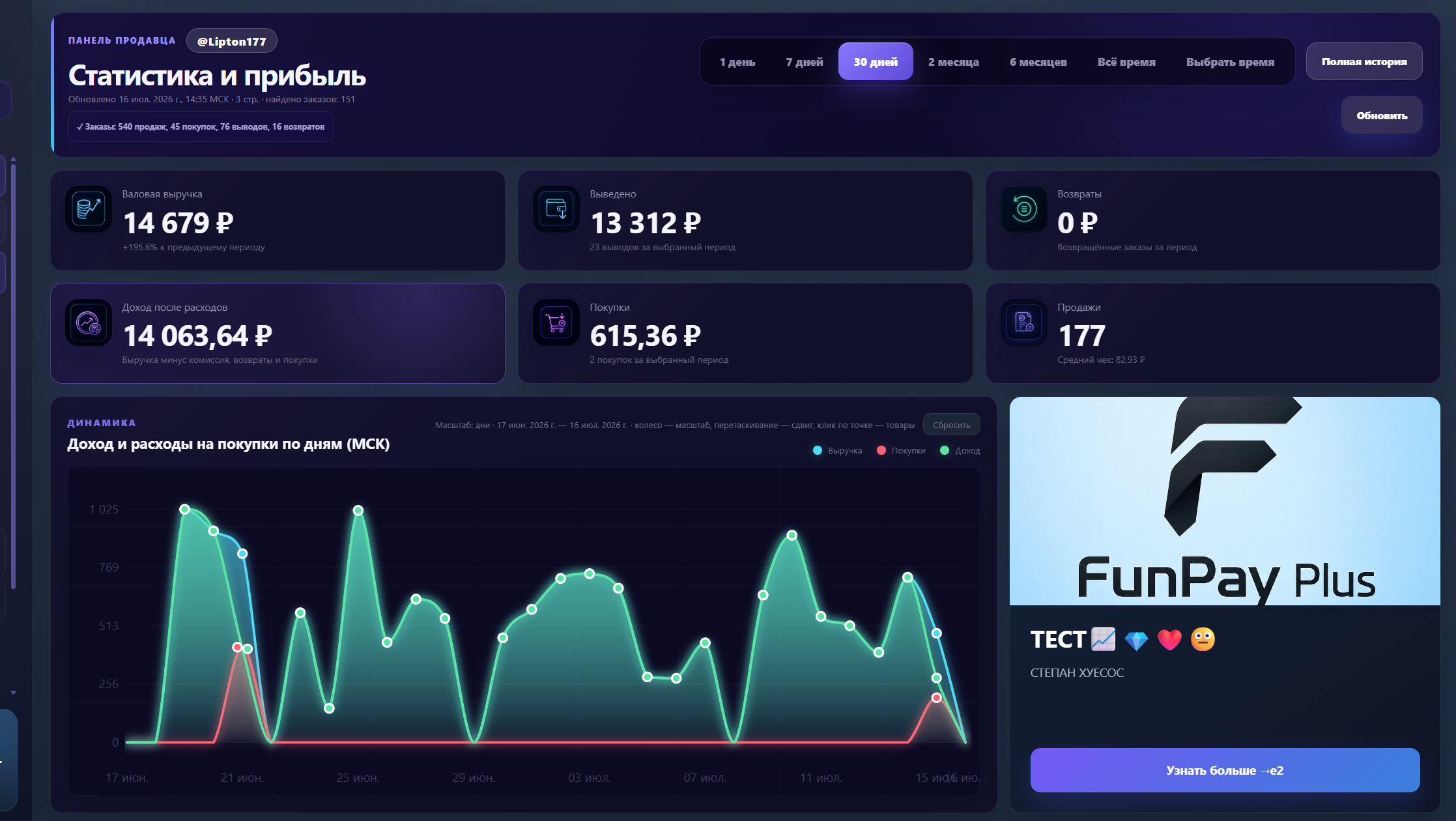
Revenue, withdrawals, purchases, refunds, net profit, average order value, and sales — from the last 24 hours to your complete history.
A dark theme, custom background, and dimming change the appearance of FunPay pages only. Dashboard appearance settings are not available yet.
Combine related lots into groups and manage them as a single set. No more searching through a long list one offer at a time.
Create from selectedSelect offers with checkboxes and give the group a clear name.
Add and removeChange group contents without deleting the lots themselves.
Activate and deactivate in bulkApply an action to every lot in the selected group at once.
Primary offers12 lots · 10 active
Seasonal products5 lots · 5 active
New lots7 lots · 3 active
The dashboard shows more than turnover: net profit, refunds, purchases, withdrawals, and sales trends in one view.
Zoom with the mouse wheel, move through the range, and open operations by clicking a data point.
Choose any period from the last 24 hours to all available sales and wallet history.
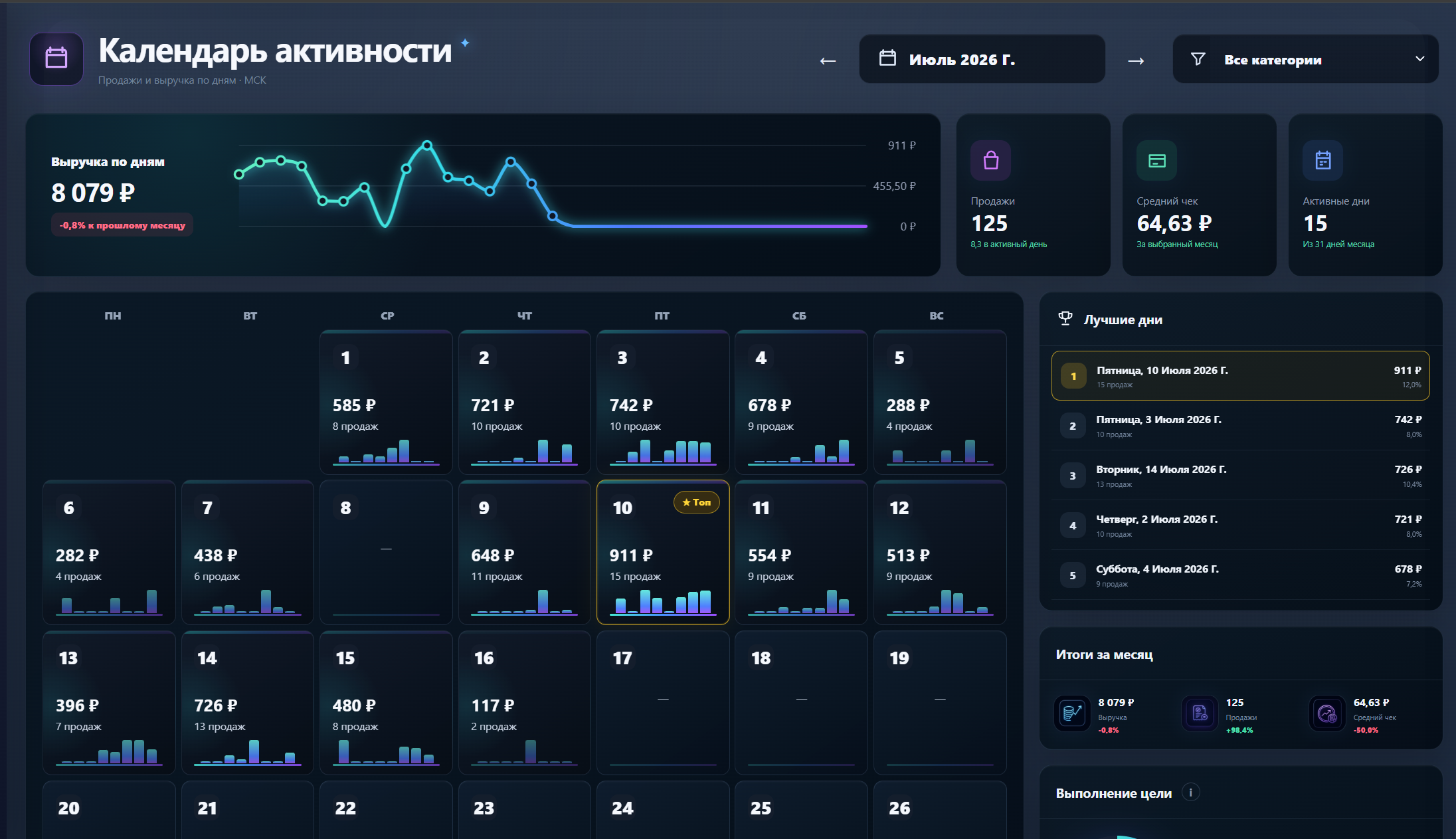
Each date becomes a clear card with revenue, sales count, and a compact activity chart.
FunPay Plus is installed only through the official Chrome Web Store — no archives, developer mode, or manual file loading.
Visit the official FunPay Plus listing in the Chrome Web Store.
Open extension page ↗Chrome will download, verify, and add the extension to your browser profile.
Open FunPay in the same Chrome profile where you installed the extension.
Select FunPay Plus in the platform menu and configure the features you need.
Everything worth knowing before you get started.
No. The dashboard is embedded directly into FunPay at /plus and opens in the current tab.
No. The offers page may be closed, but the browser and your active FunPay session must remain running.
You can create a group from selected offers, add or remove lots, select the entire group, and activate or deactivate its offers in bulk.
It changes only the appearance of FunPay pages: theme, background, and dimming. The FunPay Plus dashboard interface itself is not customizable yet.
Use the official Chrome Web Store listing. No archives, developer mode, or manual installation are required.
Install FunPay Plus from the official Chrome Web Store and open your analytics directly inside the platform.